Avoid namespace collisions by adding a project-specific prefix to the class name (up to four characters, capitalized)
Avoid naming a class that implies anything about its implementation
Form variable names from words suggesting objects in natural language
Use a phrase beginning with a verb for methods that answer a Boolean
Avoid the parameter type or name in the method name
Use a verb with a preposition for methods that specify objects
Use semantic and type information for parameter names that are the same type (e.g. origin: topLeftPoint corner: bottomRightPoint)
Do not use hard-coded numbers in an expression (magic numbers)
Spell out identifiers completely
Call the enumeration parametereach. If you have nested enumeration blocks, append a descriptive word to all parameter names
Comment Guidelines
Avoid relying on a comment to explain what could be reflected in the code
Code Formatting
Be consistent with your formatting style
Use whitespaces and parentheses (especially when it helps readability)
Use cascades and separate the receiver from the messages
Use yourself after cascades (when in doubt about return value)
Put zero or one argument messages on the same lines as their receiver. For messages with two or more keywords put each keyword / argument pair on its own line, indented one tab
Format the one-branch conditional with an explicit return (e.g. self isConnected ifTrue: [^ self].)
Return a value only when you intend for the sender to use the value
Reuse
Define an instance method #initialize to initialize instances created with #new
For each variable defined by a class, define two accessor methods
Use accessor methods to reference state variables (e.g. self width)
Always inherit to obtain behavior, not the representation
Pitfalls
If equality = or ~= methods are implemented by subclasses, implement #hash
Avoid modifying a collection while iterating over it (use copy first)
Avoid using global variables
Use #become: with caution
Avoid modifying the existing behavior of base system classes
Avoid #class, #isKindOf:, and #isMemberOf: to check for class membership
Use #do:, #collect:, #select:, #reject:, #inject:into: instead of #to:do:
Methods
Divide your program into methods that perform one identifiable task. Keep all of the operations in a method at the same level of abstraction. This will naturally result in programs with many small methods, each a few lines long
Code a single constructor method that sets all the variables. Make its name match the names of the variables
Shortcut constructor: Represent object creations as a message to one of the arguments to the Constructor Method (e.g. Number>>@ y with ^ Point x: self y: y)
Converter methods should start with ‘as’ and directly convert to the other object
Converter constructor methods: start with ‘from’
Query methods should start with some form of ‘be’ (e.g. ‘is’ / ‘will’ / etc.)
Reversing methods allows a smooth flow of messages and control (e.g. Stream>>print: anObject with anObject printOn: self)
overriding printOn can also be used for debugging
Method object: move temporary variables to instance variables and computation to #compute on a new class, replace method with instantiation and computation ob this object
Intention revealing message: send a message to self and name it to show what is to be done, not how (e.g. Collection>>isEmpty with ^ self size = 0)
Dispatched interpretation: when an object does not want to reveal ist representation, it may accept a block and pass it messages itself (e.g. Collection do: aBlock)
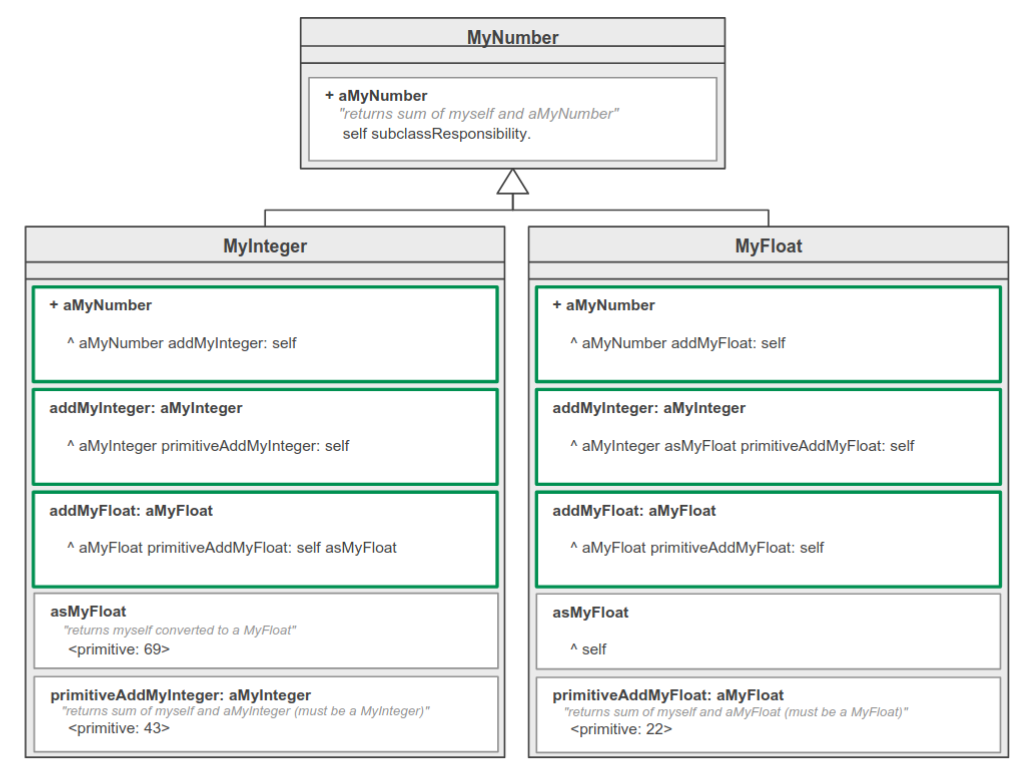
Mediating protocol: use consistent naming to keep objects independent (e.g. addMyInteger and addMyFloat)
Self delegation: when object needs reference to the delegating objects, pass self along using an additional for: ... parameter (e.g. HashTable>>at: keyObject put: valueObject for: aCollection)
Instance Variables
Variable state: put state whose presence varies from instance to instance in a Dictionary stored as an instance variable properties
Lazy initialization: write a getter that initializes the variable if necessary (e.g. count ifNil: [count := 0]. ^ count)
instance variables can be access directly (e.g. x := xNumber) or indirectly (e.g. self x: xNumber), do not go half way!
Collection accessor / enumeration: delegate (forward) the message to the collection and name the method accordingly
Boolean property setting: add tow method beginning with ‘be’ and optionally one with ‘toggle’ (e.g. beVisible / beInvisible / toggleVisible)
Temporary Variables
can be used for collecting / caching
can be used to explain (by naming) parts of complex expressions (e.g. lastIndex := self size)
name temporary variables according to the role they play in the computation
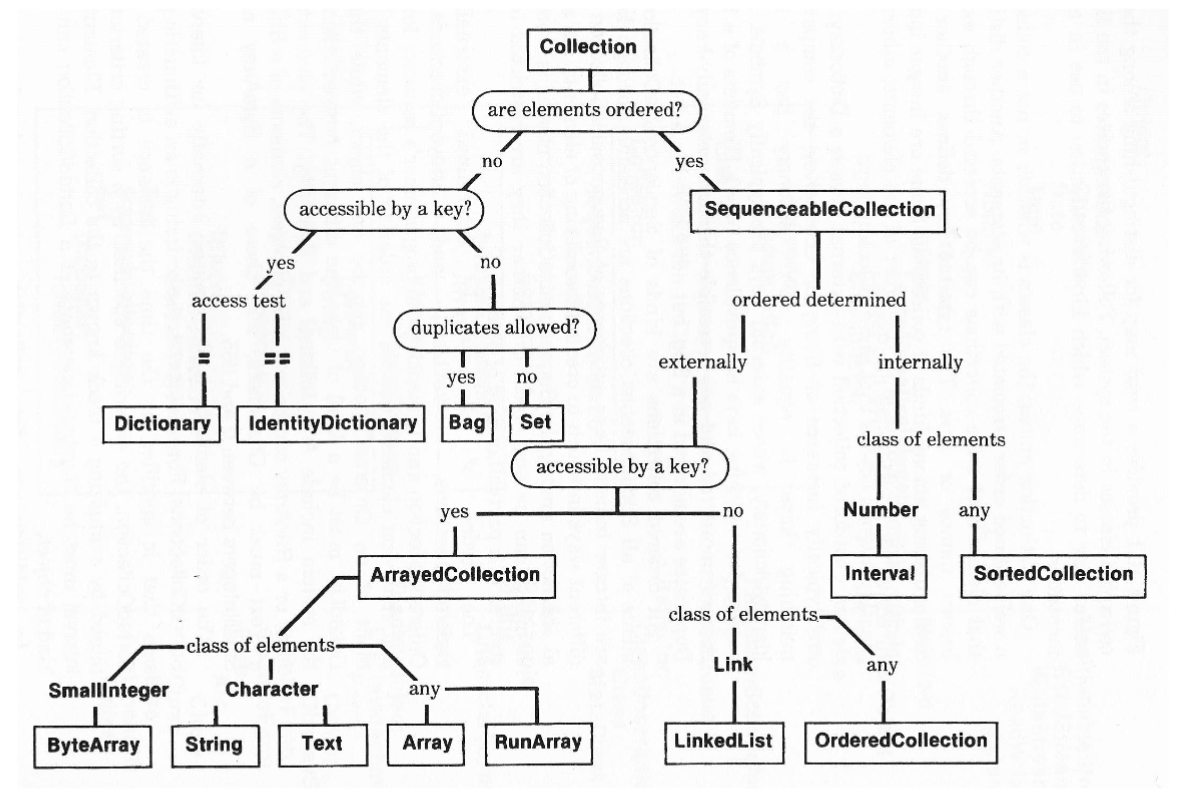
Collections
Duplicate removal can be done using asSet
Temporary sorting: send asSortedCollection or asSortedCollection: aBlock to retrieve a sorted copy