A haptic device that might potentially enable blind users to interact
- with 2D spatial contents
- in real-time
me handle: represents the user’s avatar in 2D space
it handle: represents one other moving object
Pantograph
great compromise between low motor forces required (like in an x/y table aka gantry) and freedom of movement (like in a robot arm)
- 4 linkages 1 end effector
Does not use gears in order to avoid slack
- alternatives: friction drive, capstan, archimedes drive, etc.
- chosen: direct drive with high amount of current (because of leverage)
Dual Panto Projects
- 2D spatial: 2D space must play a key role to succeeding at the task (tasks that aren’t better solved using iPhone “voiceover”)
- real-time: fast-paced app, more likely a game (e.g. porting simple 80’s games), but stay within bandwidth of device/user (sparse world)
- alternatively complex data (sensemaking): let user explore the complex world, but then that world has to be stationary, to give user time to figure it out
Right level of challenge (balancing)
Push the boundaries of what blind people can do (e.g., towards what a sighted person can do)
- narrow down the app to a task (editing or sensemaking)
- simplify games (i.e. Tetris with 3 columns)
Handle Tracking
- 14 bits digital encoder (absolute) meassures rotation of magnet
Forward kinematics (FK)
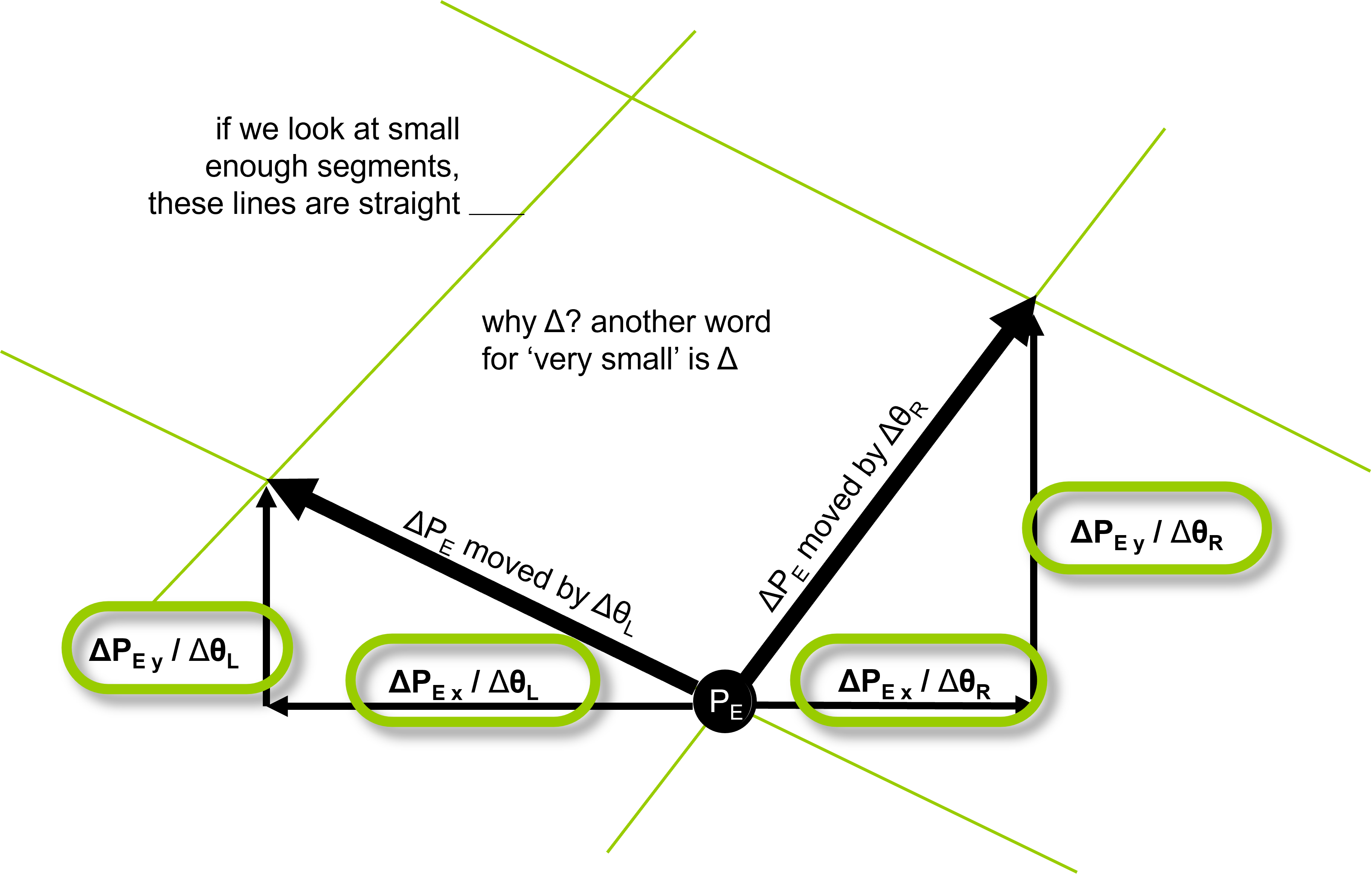
Given joint angles and the length of linkages, calculate the position of end effector:
- angles and can be read from encoder
- lengths and are known
- positions and are known
- end effector position () can be calculated using trigonometry / vector addition and rotation
Inverse kinematics (IK)
Given the target position, calculate the motor angles:
- the angles can be calculated analogously to FK
- however, sometimes multiple angle combinations lead to the same
Iterative method
Mathematical procedure to generate a sequence of approximate, yet continuously improving solutions (removes ambiguities)
- make slight adjustments in until desired position is reached
- e.g. both motors left end effector moves left
- e.g. both motors inwards end effector moves outwards
- etc.
- so far this model is ignorant of mass and inertia (Massenträgheit) oscillation | see Hapkit controls
- therefore use force proportional to error no more oscillation, instead springy
- solution: implement PID controls
Extra: p5.js vector syntax
var vec = createVector(10, 5);
vec.normalize(); // normalizes to length 1
vec.rotate(PI); // rotates the vector by the specified angle
vec.mult(2); // multiplies each component of the vector by the specified value

var vec_length = vec.mag();
var vec2 = vec.copy(); // create a copy in JavaScript

var add_vec = p5.Vector.add(vec, vec2); // static method on the Vector class
var sub_vec = p5.Vector.sub(vec, vec2); // static method on the Vector class
Rendering Walls
Because of high resolution encoder and quick reaction times, DualPanto only implements proportional control (trimmed like a really stiff spring)
Springs
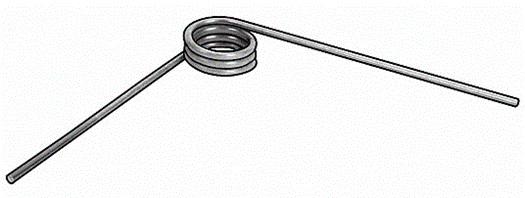
- spring: converts force into position
- torsion spring: converts torque (Drehmoment) into position torque sensor
- hooke’s law: the force of a spring is proportional to the displacement with spring constant
God object
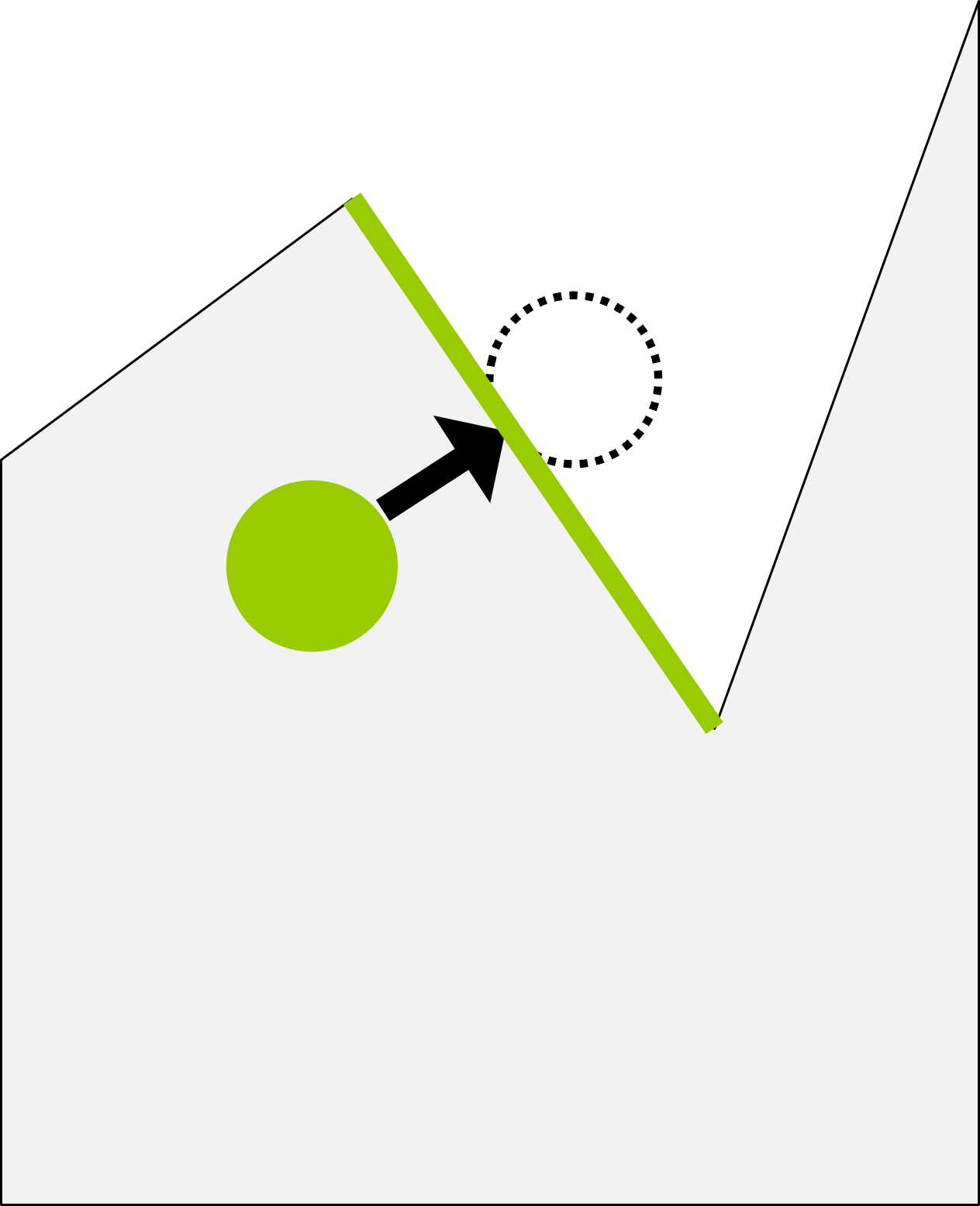
Into which direction should the hapkit push back, when a wall has been passed?
- Unity me: stays outside the wall
- God object: a proxy object which behaves as if the object were infinitely stiff ideal position of end effector (unity me follows handle)
Tracking mechanism
- On edge entry: create a line segment from the previous to the current “me” position test against all edge in the scene. If it intersects then activate the edge.
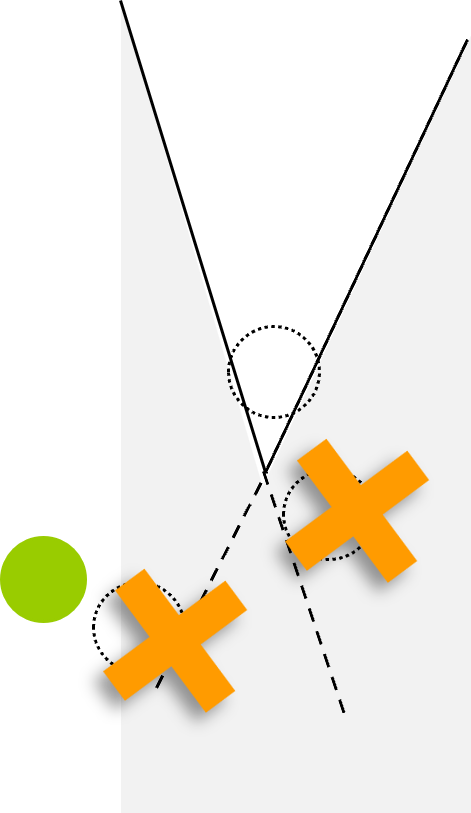
- Convex corners: keep edge active, until god object outside of boundaries (length) of edge search for new active corner
- Concave corners: (optimization problem: minimize distance to active edge such that point is always on the edge)
- calculate three points: closest points on both edges and intersection point of the two edges
- remove any points, that are inside the wall
- choose the one that is closest to me handle
Motor output
We need some function
- input: desired force vector
- output: motor torques / voltages that produce those forces
- solution: inverse kinematics towards a target slightly (1mm) off the end effector
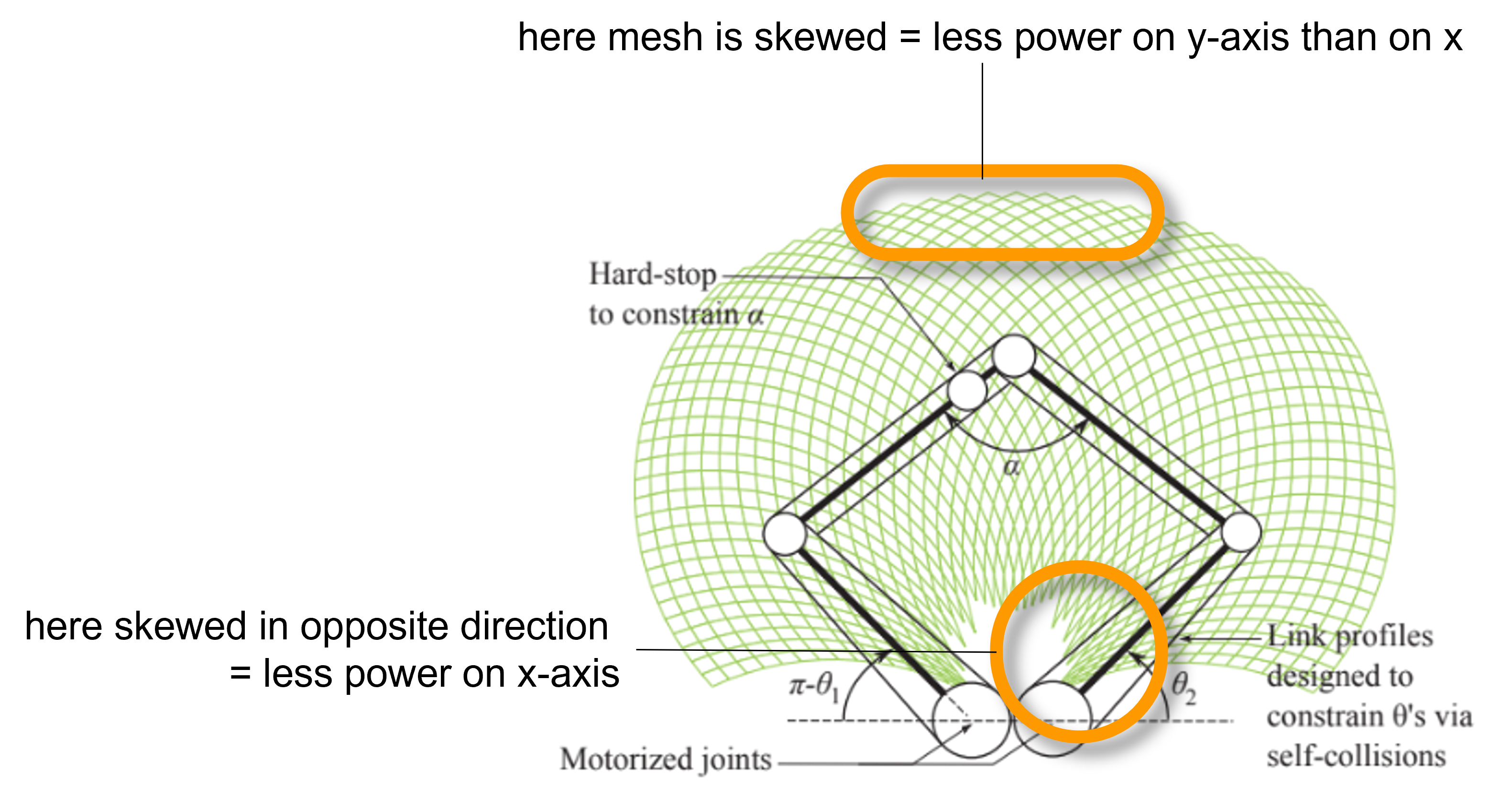
- problem: target further away from the motors longer levers less force applied
Mesh map
- draw a map by rotating one motor while fixing the other
- knowing this mesh allows us to adjust motor power so as to compensate for variations in lever, thus get consistent haptic forces
- challenge: mesh is in motor torque and , how to translate to and coordinates?
Jacobian matrix
- a matrix of all first-order partial derivatives of a function
- used to map vectors (in our case force vectors) in one variable space to another
- in our case: calculated for a specific motor angle constellation (position on the mesh map)
- ( is Jacobian matrix) and ( is force and is torque)
- that gives
- Jacobian is vector map and Force-Torque map
- part of
panto.cppat dualpantoframework (firmware)

DualPanto Capabilites
Design choices
User movement:
- freely in 2D space
- along lines (what graph structure?)
- 2D space on a grid (quad, hex, triangle, etc.)
- 1D space with detents
User choice making:
- no choices needed
- speech input
- mechanical GUI widget (e.g. switch)
Me and it introduction:
- no need to explain
- explanation upfront
- synchronized movement with speech
Handle choices:
- “me” and “it” handle
- two “me” handles
- two “it” handles
More than two objects in the world:
- nope, just two things to deal with
- “it” always jumps to the closest “it” object in the world
- “it” jumps to the closest “it” when previously selected “it” dies
- user can manually switch what “it” represents
DualPanto Toolkit Capabilities
General observations
- there exists some me-only and it-only space very uncommonly used
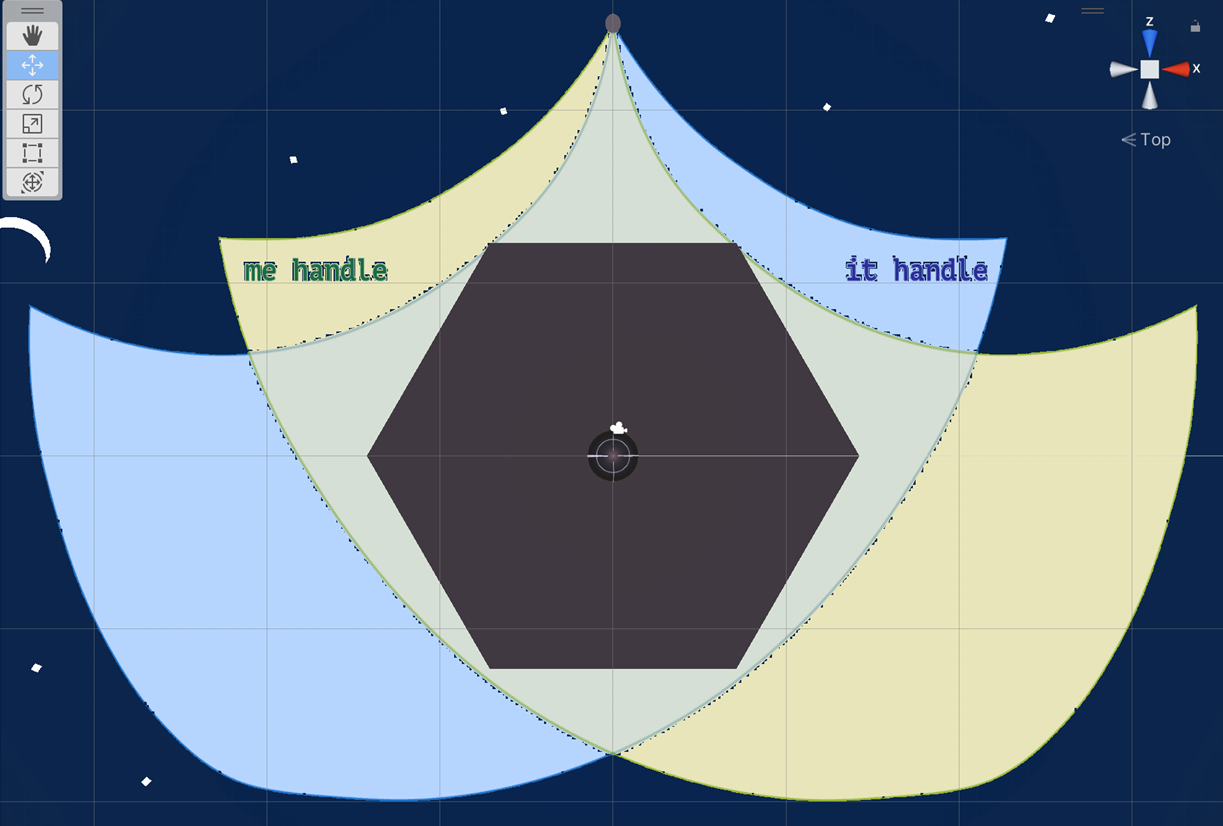
Already implemented
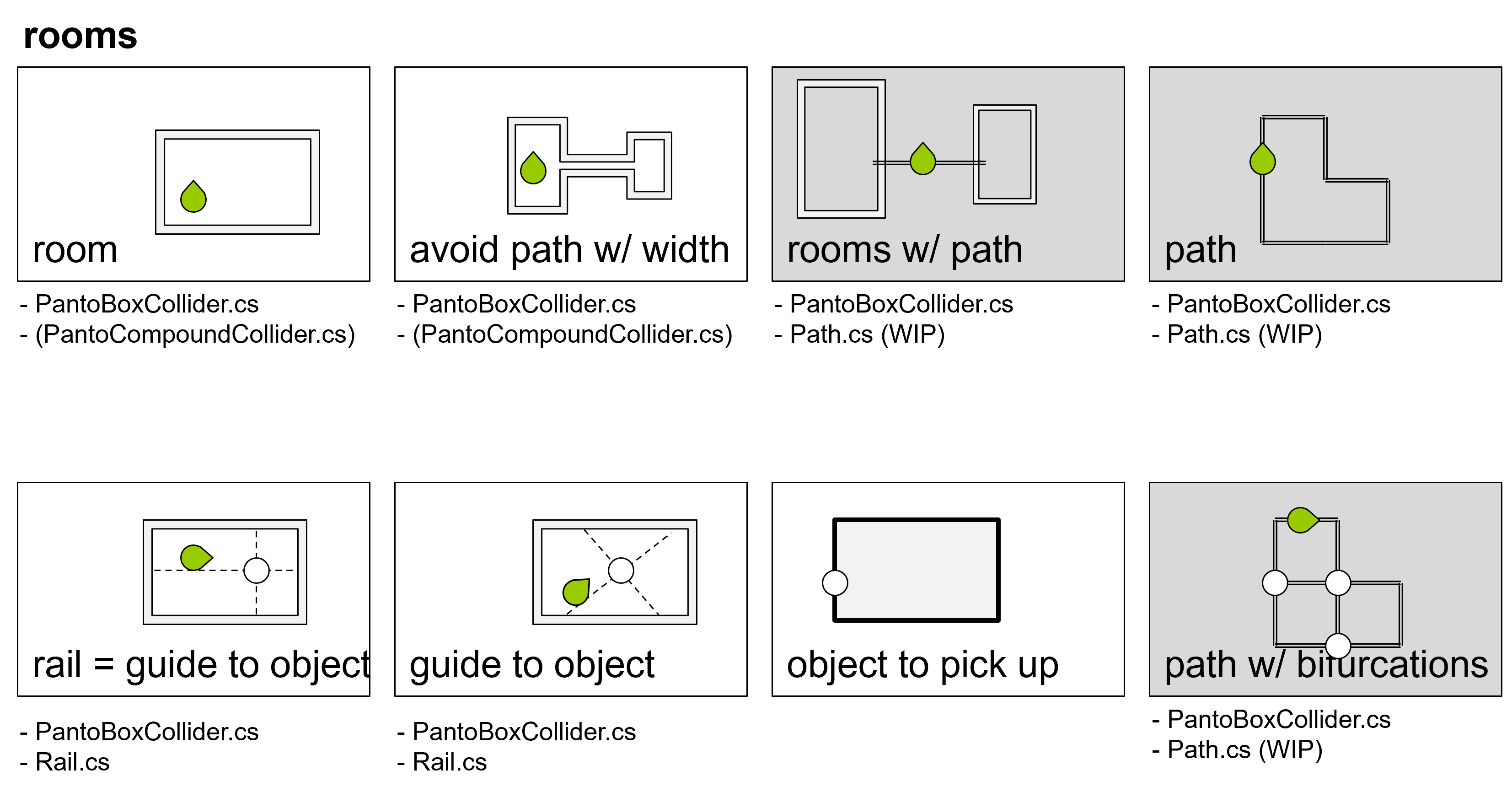
Rooms:
- can be built using rectangles (with
PantoBoxCollider.cs) as walls - walls should overlap, to form solid corners
- to start the app, move me handle into room (using
MoveToPositiontoolkit function) - object placement:
- along the walls
- in the middle of the room use passable rails (
Rail.cs) to guide user
- room shape:
- convex
- non-convex tracing the outline of the room is impossible (already for a simple L shape) | possible solutions using rails or grid movement
- nooks and hallways hard to get a sense of
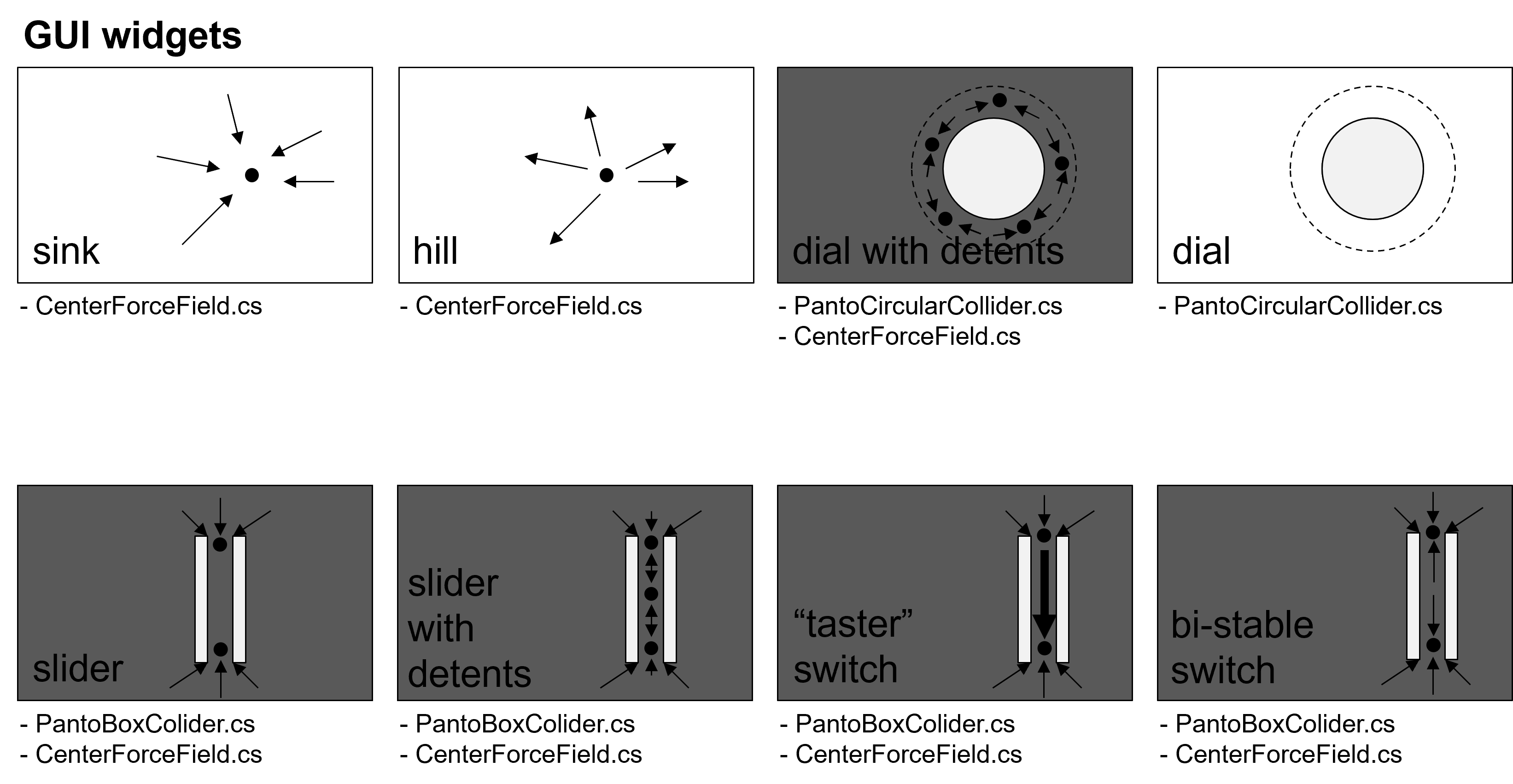
GUI widgets:
- sink using
CenterForceField.cs - hill using
CenterForceField.cs - dial using
PantoCircularCollider.cs
Information visualisation:
- point at objects by rotating unity object of “me” / “it” handle
Haptic feedback:
- recoil (Rückstoß) using
MoveToPosition() - show velocity using recoil
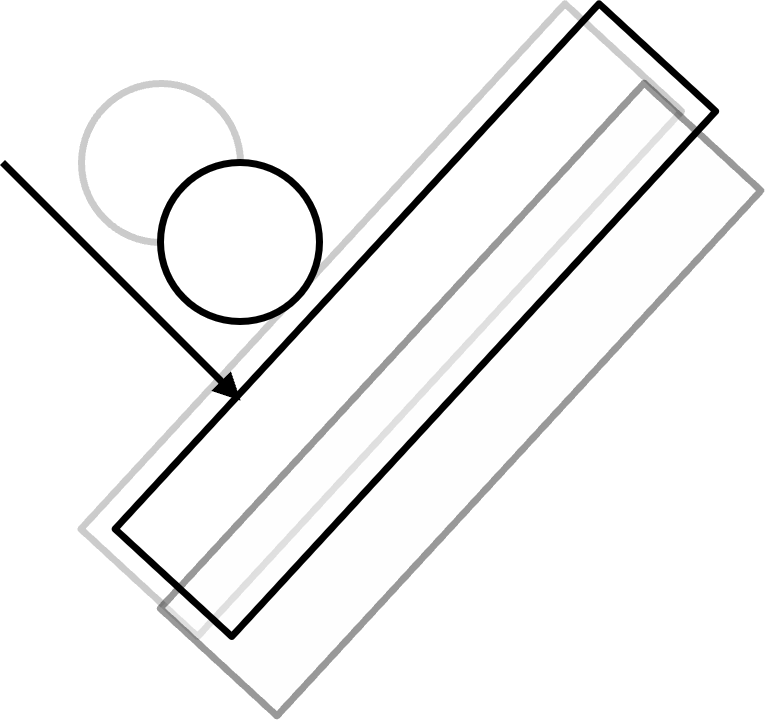
Currently being implemented
Paths:
- using
Path.cs(WIP) - can connect multiple rooms (instead of hallway)
- can provide a movement grid paths with bifurcations (Abzweigungen)
GUI widgets:
- dial with detents using
PantoCircularCollider.csandCenterForceField.csor alternatively usingPath.cs(WIP) - slider using
PantoCircularCollider.csandCenterForceField.cs - slider with detents using
PantoCircularCollider.csandCenterForceField.cs - “taster” switch using
PantoCircularCollider.csandCenterForceField.cs - bi-stable switch using
PantoCircularCollider.csandCenterForceField.cs - gearshift using
PantoCompoundCollider.csandPath.cs(WIP)
Might be possible
Haptic feedback:
- pushing me handle to simulate a moving obstacle using
MoveToPosition()| but impossible usingMovingObstacle